Our #RetroComputing channel will be holding a Retro Community Discussion on Sunday the 13th of August 2026 at 7:30pm AEST.

This will be an open ended discussion on all things retro computing. Come and talk to us about anything retro computing related!

If you need to translate this time into other time zones, you can check the listing on our events page. Server details for your preferred IRC client can be found on our server details page.
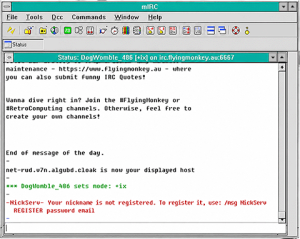

Our #RetroComputing channel will be holding a Retro Pub Hour on Sunday the 30th of August 2026 at 7:30pm AEST.

This will be an open ended discussion on all things retro computing. Come and talk to us about anything retro computing related!

If you need to translate this time into other time zones, you can check the listing on our events page. Server details for your preferred IRC client can be found on our server details page.


Our #RetroComputing channel will be holding a Retro Pub Hour on Sunday the 16th of August 2026 at 7:30pm AEST.

This will be an open ended discussion on all things retro computing. Come and talk to us about anything retro computing related!

If you need to translate this time into other time zones, you can check the listing on our events page. Server details for your preferred IRC client can be found on our server details page.


Our #RetroComputing channel will be hosting our first Retro Geek Pub event!

When: Saturday 11 July 2026 @ 8pm (Sydney time)
Topic: 8-Bit Open Mic

Come join us to discuss memories of your favourite 8-bit micros from the early 80s. Whether you were an Acorn kid, an Apple tinkerer, an Atari gamer, a Commodore fanatic, a TRS‑80 experimenter, or loyal to something more obscure – everyone’s welcome. We’re proudly platform‑agnostic, so bring whatever stories you’ve got.

How do I join?

Fire up your favourite IRC client and connect to our server at irc.flyingmonkey.au:6697 with TLS enabled. Once connected, join the channel #RetroComputing.

If you’re not sure how to set that up, check out our server details page where we have a video on how to configure HexChat or find alternative details if you’d rather connect with a retro PC.


Back to Top